
Delete a Business Unit
To keep your Loyalty instance uncluttered, the best practice recommendation is to delete unneeded or test Business Units. The deletion process is permanent and irrevocable; you can’t later restore a deleted Business Unit.
Note: Deleting a Business Unit may have significant implications for associated data and operations. Ensure you have the necessary permissions and understand the consequences before proceeding with deletion. Speak to your Zeta team if you have any questions or concerns about deleting a Business Unit.
To delete a Business Unit:
-
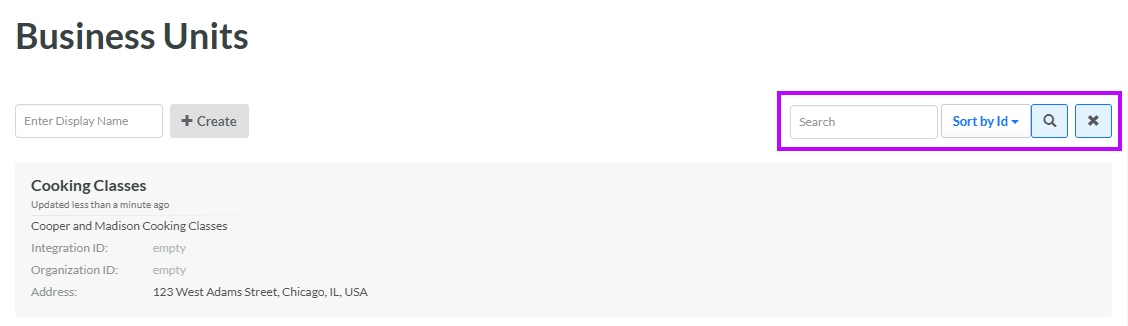
Select Program from the top navigation bar, then select Business Units from the side navigation menu. The Business Units screen is displayed.
-
Optionally, in the Search field, enter the desired text string.
-
Click the Search icon. The screen is refreshed to show only the Business Units that meet your search criteria. If you entered multiple search criteria, the Business Unit must meet ALL criteria.
-
To sort the search results, select the desired sort order from the Sort By drop-down menu. The default sort order is by: Business Unit ID.
-
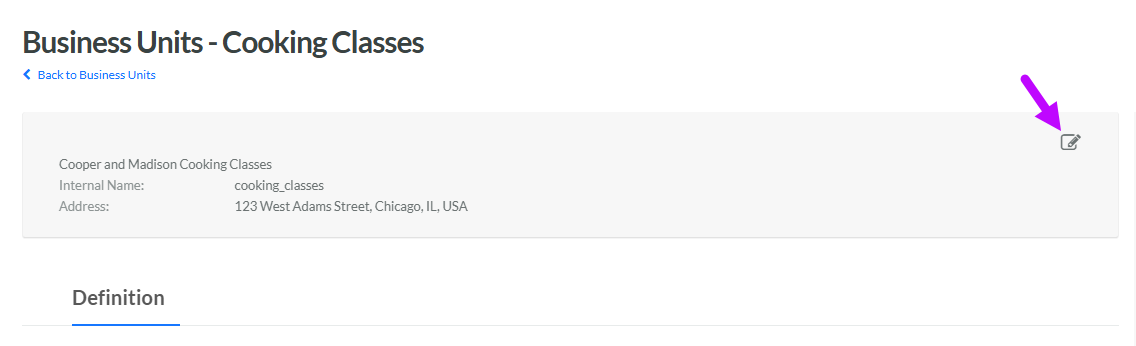
Click the desired Business Unit. The Business Unit Details screen is displayed with the Definition tab selected.
-
Within the header area, click the Edit icon. The Edit Business Unit pop-up window is displayed.
-
Click Delete. A confirmation dialog box is displayed; click Confirm.
